
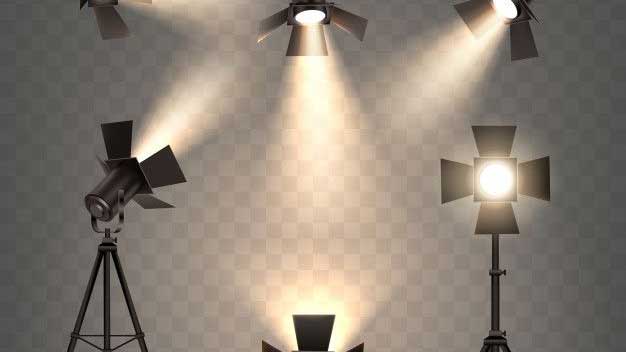
Lighting product photography is one of the most critical skills every business owner, marketer, or photographer should master. In e-commerce and brand marketing, photos are often the first interaction customers have with your product. Great lighting doesn’t just make your product look good—it influences how trustworthy, professional, and appealing your brand appears to be. Without proper lighting, even the most beautiful products can appear dull, unappealing, or of low quality.
In this guide, we’ll share seven essential lighting product photography tips that can help you create stunning product images, boost your brand image, and ultimately increase sales. Whether you’re working with natural sunlight or studio lights, these tricks will help you capture your product in the best light—literally.
7 Powerful Tips for Stunning Results
1. Prepare Your Product First!
Before you even touch your lighting setup, could you make sure your product is 100% ready for the camera? Clean, iron, or polish the product so there are no dust particles, wrinkles, or imperfections. Great lighting will enhance the good parts of your product—but it will also make flaws more visible.
If you’re shooting apparel, steam out wrinkles and use a lint roller to remove any stray fibers. For jewelry or glass items, clean fingerprints with a microfiber cloth. In some cases, you can use thin, transparent strings to make items “float” in your composition, and then remove them in post-production. Preparation ensures your lighting efforts aren’t wasted.
2. Understand Hard and Soft Light
When learning lighting product photography, it’s essential to understand the difference between hard and soft light.
-
Soft Light creates gentle shadows and smooth gradients, ideal for products that require a clean, polished look—such as cosmetics or clothing. This is usually achieved by using a significant light source close to the product, like a softbox or diffused window light.
-
Hard Light produces sharp shadows and more defined textures, making it ideal for showcasing details in products like leather bags or textured fabrics. This comes from smaller or more distant light sources.
By controlling the hardness of light, you can adapt the mood and detail of your photos to match your brand style.
3. Maximize Natural Light
If you’re starting with lighting product photography, natural light is often the easiest and most affordable option. Place your product near a large window for soft, even illumination. For the best results, shoot during golden hours—early morning or late afternoon—when sunlight is warmer and more flattering.
To soften direct sunlight, hang a thin white curtain over the window. This acts as a diffuser, reducing harsh shadows and giving your product a balanced, natural look.
4. Use Affordable Work Lights
When natural light isn’t an option, you don’t need to spend a fortune on studio gear. Affordable work lights from hardware stores can do the job if paired with diffusers, such as white curtains, tissue paper, or even baking parchment.
Place the lights at a 45-degree angle from your product to create natural-looking shadows and depth. Always test different angles until you find the most flattering look for your specific product.
Read also: Product Photography at Home for Beginners
5. Continuous vs. Strobe Lighting
Two standard artificial lighting options in product photography are continuous lights and strobe lights:
-
Continuous Lights let you see the lighting effect in real time, making them beginner-friendly.
-
Strobe Lights are more powerful, can freeze motion, and are ideal for professional setups, but they require more skill to master.
Choose based on your budget, the available space, and the level of control you want in post-production.
6. Control the Light’s Position
The position of your light source affects shadows, highlights, and the overall feel of your images. Side lighting often creates depth and texture, while front lighting produces a flat, even look. Backlighting can create dramatic silhouettes or glowing edges.
As a rule of thumb:
-
Closer light = softer shadows
-
Farther light = more complicated shadows
Try moving your light around your product—above, to the side, or even behind—to see how it changes the mood and texture.
7. The position of the light
In lighting product photography, the size of the light relative to your product is key. The closer and larger the light, the softer and more even it will appear. Conversely, the smaller or farther away it is, the more pronounced the contrast and harshness will be.
Professional photographers often experiment with multiple lights at different distances to create a balanced look. If you’re working alone, even a single well-placed light can make a huge difference when combined with reflectors or white foam boards to bounce light.
Final Touch: Edit Like a Pro
Lighting sets the foundation, but post-production ensures your product photos look polished and professional. Editing can enhance colors, adjust exposure, remove unwanted shadows, and eliminate background distractions.
If you don’t have the time or skill for editing, services like Dropicts can help with background removal, retouching, color correction, and ghost mannequin effects—perfect for e-commerce businesses aiming for a consistent, high-quality product catalog.

Image Source:
pin.it
