
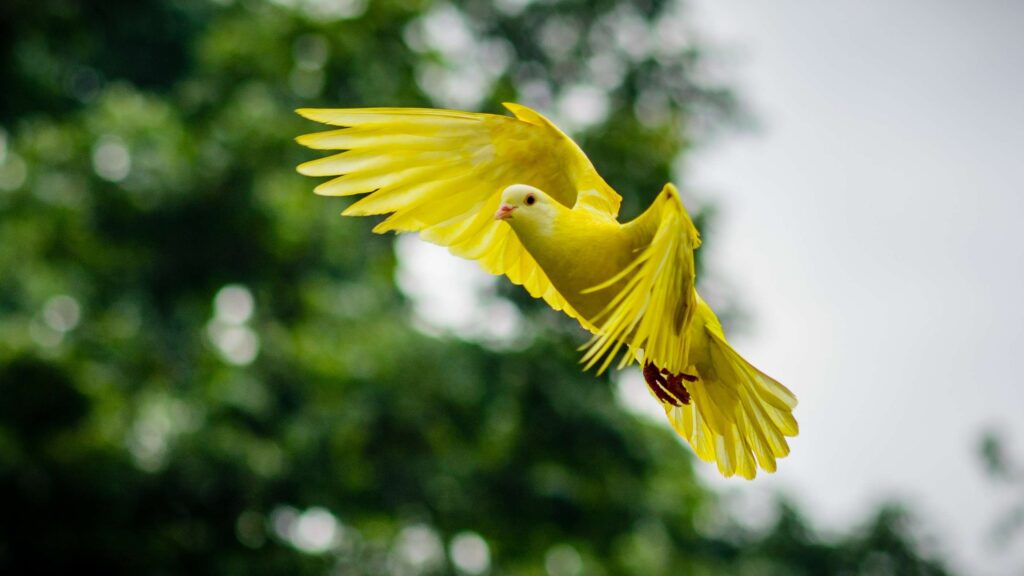
Wildlife is always mesmerizing with its unique habits in nature. Due to this gorgeous scenery, many photographers have a great interest in portraying animals. However, wildlife photography will not always fulfill your expectations. That’s why you need to learn how to make perfect editing in this article. Without further ado, let’s begin!
What is Wildlife Photography?
Wildlife photography is also referred to as animal photography. It is a term used to describe photographers who portray wildlife in its natural habitats. Additionally, this kind of photography allows you to see the actual characters of these living creatures.
Typically, these photographers will venture into a remote forest and covertly observe their targets. Several animals that become objects include lions, tigers, elephants, butterflies, birds, plants, and fungi, among others. Furthermore, they need to pursue a better location with bright lighting to shoot excellent images.
Why Do You Need to Retouch Wildlife Photographs?
Sometimes, the shoot you did may not be a perfect portrayal. Therefore, retouching will be a game-changer. This act allows you to recreate and maximize your real message for the image.
Additionally, you don’t need to do it alone. If you need help, there are many photo editing services that you can trust to retouch the image. It will also give you extra time to complete another job related to wildlife photography.
5 Steps to Edit Wildlife Photography
After understanding the purpose of editing photographs, you must now be familiar with the five retouching methods. This knowledge is essential if you want to present a more professional image for commercial purposes. Please read thoroughly and try practicing retouching on your own. Then, let’s get started!
1. Crop The Image
You can begin the editing process of wildlife photography by cropping the image. Well, cropping may not require a lot of action, but this step is vital because it can enhance the key elements of your photo. You can avoid overcropping, as it may not give your object the spotlight it deserves.
If you want a landscape, then you should give a white space on each side so that the photo does not look too compact. In contrast, you need to pay more attention to the portrait photo by identifying the facial direction of the object.
2. Adjust Exposure and Temperature
As previously discussed, photographers need to find the best place and lighting support to produce a great picture. However, you may also adjust the exposure to help you with the dark and bright colors. Also, please note that changing does not mean erasing the details of your objects.
Once you have finished adjusting the exposure, please proceed to set the temperature. You can use the White Balance setting, which may result in a cold or warm image. If you need a picture for winter, then ‘cold’ is a better option, and vice versa. Photographers will need a photo color correction service to create a more suitable vibe.
3. Give Highlights and Shadows
Not only focus on the exposure and temperature, but also on retouching, including highlights and shadows. Many people may think that these two are similar to each other. In fact, they are incredibly different and have distinct functions. So what are the differences?
Highlight functions recover details that are hidden due to overly bright areas. Meanwhile, shadows will give a more natural look to the picture. This step allows you to add contrast between the living creatures and their natural habitats. Please choose a suitable retouch so that you can view the image perfectly.
4. Get Rid of The Distractions
During the shooting period, you may experience some distractions that result in elements being included in the image. Due to the natural environment of animals, you cannot blame anyone. However, you don’t need to worry because you can get rid of these unwanted elements in that photo using the Content Aware Tool.
Please take a closer look at the elements, then highlight them to remove. If you are a beginner, drawing around this wildlife photography image may help. After that, click “Fill” and select “Blending Options.” If you choose the Normal or Dissolve menu, please ensure that both options will give your images a better appearance.
5. Apply Preferred Presets
Lastly, to complete your editing process, you will need a wide range of presets. Commonly, some editing software will provide you with some. This feature is a lifesaver that helps you finish the retouching. Despite the theme or vibe, presets will save beginners the effort of showing off the results of their photographs.
You can select available presets and view the corresponding point in your portrayal. If you think the A preset doesn’t match the vibe, then change to the B preset, and so on.
Are You Ready For Wildlife Photography?
Wildlife photography offers a thrilling experience that allows you to appreciate the natural world. It brings joy, but also has its own struggles due to the movement of living creatures.
Because of commercial use, you will need to take additional measures for your photos. If you don’t have much skill in editing, using a service from a photo editing company may help. So, what are you waiting for? Order the service now!
FAQ
- What is the purpose of wildlife photography?
- It aims to portray the natural habitats and characteristics of every animal in its natural environment.
- What should wildlife photographers prepare for an excellent photoshoot?
- Photographers who capture nature and animals do not require specific skills. They only need the equipment and a suitable place with sufficient lighting support to portray the wildlife.
- What is the most common application for editing wildlife photography?
- Adobe Photoshop and Adobe Lightroom are the two most widely used applications for editing this type of photograph. Both are beginner-friendly, allowing you to increase your editing skills.
- Where will wildlife photographs feature?
- Generally, they will be featured in newspapers, magazines, advertising agencies, and media industries, among others.
Image Source :
