
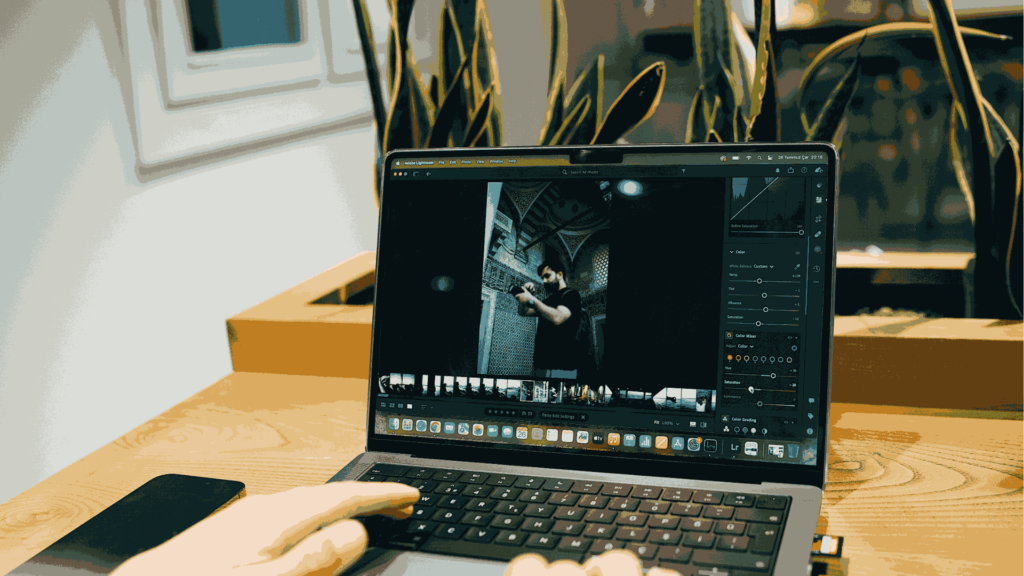
TikTok photo editing hack is one of the easiest ways to instantly level up your content without expensive gear or complicated software. If you love posting aesthetic content, this guide will show you exactly how to make your TikTok photos look cleaner, brighter, and way more scroll-stopping.
You don’t need to be a pro editor. You need the right tricks.
In this article, we’ll break down simple techniques, beginner-friendly steps, and the best editing apps to use so your photos can stand out on TikTok’s fast-moving feed.
What’s the Scoop on TikTok Photo Editing Hacks?
A TikTok photo editing hack is a simple trick, shortcut, or editing method that improves your photos quickly, usually using built-in tools or popular editing apps.
It’s not about heavy Photoshop skills. It’s about:
- Adjusting lighting correctly
- Using smart filters
- Playing with contrast and sharpness
- Copying viral editing formulas
The goal? Make your photo look intentional, clean, and aesthetic.
How to Make Photos Look Viral on TikTok
Before we dive into advanced tricks, let’s answer the most common question:
1. Fix the Lighting First
Lighting is everything. Increase:
- Brightness slightly
- Contrast moderately
- Highlights down a little
- Shadows up for detail
It instantly makes your image look more balanced.
2. Boost Clarity and Sharpness
TikTok compresses photos. Adding a bit of clarity or sharpness helps your image stay crisp after upload.
3. Adjust Colors Carefully
Oversaturated photos look cheap. Instead:
- Add small Saturation (5–15%)
- Slightly warm up skin tones
- Reduce overly strong colors
Read also: Change Colors in Photoshop
4. Crop for Composition
Use the rule of thirds. Make sure your subject is centered or aligned properly.
Sometimes, better photos are not about filters, but about small adjustments.
Most Popular TikTok Editing Styles
It is the practical part of the TikTok photo editing hack strategy. These are not random tips; they’re structured editing formulas you can copy and adjust depending on your lighting.
Important:
- Use these numbers as a starting point.
- Adjust slightly based on your photo conditions.
1. Soft Glow Aesthetic Hack (Dreamy & Clean)
Best for: selfies, cafe shots, mirror photos, OOTD content.
Basic Adjustments
- Exposure: +10% to +20%
- Contrast: -5% to -10%
- Highlights: -20%
- Shadows: +25%
- Whites: +10%
- Blacks: -5%
Color Settings
- Temperature (Warmth): +5% to +10%
- Tint: +3% (toward pink)
- Vibrance: +15%
- Saturation: +5%
Effects
- Clarity: -10%
- Texture: -5%
- Grain: 10–15
Why this works:
Lower contrast + lifted shadows + reduced clarity = soft, glowing skin that doesn’t look blurry.
2. High-Contrast Editorial Hack (Bold & Dramatic)
Best for: fashion, street style, urban shots.
Basic Adjustments
- Exposure: -5% to +5%
- Contrast: +25%
- Highlights: -30%
- Shadows: -10%
- Whites: +15%
- Blacks: -25%
Color
- Temperature: -5% (slightly cooler tone)
- Vibrance: +10%
- Saturation: 0% to +5%
Effects
- Clarity: +20%
- Texture: +15%
- Grain: 20
This TikTok photo editing hack creates strong depth and that “model off-duty” vibe.
3. Clean Bright Viral TikTok Hack
It is one of the most popular TikTok photo editing hack formulas right now.
Best for: lifestyle content, couple of photos, everyday posts.
Basic
- Exposure: +20%
- Contrast: +10%
- Highlights: -25%
- Shadows: +30%
- Whites: +20%
- Blacks: -10%
Color
- Temperature: +8%
- Vibrance: +20%
- Saturation: +8%
Detail
- Sharpening: +25%
- Noise Reduction: +10%
Result:
Bright, clean, fresh, without looking over-edited.
4. Dark Moody Cinematic Hack
Best for: night shots, cafes, cinematic vibes.
Basic
- Exposure: -15%
- Contrast: +20%
- Highlights: -35%
- Shadows: -20%
- Blacks: -30%
Color
- Temperature: -10%
- Tint: -5% (slightly toward green)
- Vibrance: -5%
- Saturation: -10%
Effects
- Clarity: +10%
- Grain: 25
It gives your photos that dramatic, cinematic aesthetic often seen on TikTok.
5. HD Detail Sharp Hack (Beat TikTok Compression)
TikTok compresses images. This hack helps maintain clarity.
Detail Settings
- Sharpening: +30%
- Texture: +20%
- Clarity: +15%
- Noise Reduction: +15%
Note: Do not exceed these numbers. Too much sharpening makes skin look harsh and unnatural.
6. Perfect Skin Tone Hack (Natural Glow)
Best for: portrait and selfie content.
Basic
- Exposure: +10%
- Highlights: -15%
- Shadows: +20%
Color
- Temperature: +5%
- Tint: +5%
- Saturation: +3%
HSL Adjustments (If Available)
- Orange Saturation: +10%
- Orange Luminance: +15%
- Red Saturation: -5%
It keeps skin bright and glowing without turning orange.
7. Universal Balanced TikTok Formula
If you want one safe preset for almost everything:
- Exposure: +15%
- Contrast: +12%
- Highlights: -20%
- Shadows: +25%
- Whites: +10%
- Blacks: -15%
- Temperature: +6%
- Vibrance: +18%
- Clarity: +10%
- Sharpening: +20%
It is a reliable TikTok photo editing hack for a clean, consistent feed.
How to Adjust Based on Lighting
Even with exact percentages, always check:
- Outdoor bright sun – lower exposure slightly.
- Indoor low light – increase shadows more.
- Yellow lighting – reduce temperature.
- Flat photos – increase contrast a bit more.
Editing is about balance, not maxing out sliders.
Best Apps for TikTok Photo Editing
Here are the top photo editors for TikTok creators:
1. Lightroom
Best for: Professional color grading
Why: Advanced tools, presets, masking features
2. Snapseed
Best for: Free, powerful editing
Why: Detailed adjustments, healing tools
3. VSCO
Best for: Aesthetic filters
Why: Simple, trendy presets
4. Adobe Photoshop
Best for: Advanced editing
Why: Full control and professional features.
If you’re a beginner, start with Snapseed or VSCO. And if you want pro-level control, Lightroom is the place to be.
Extra Tips to Make Your Photos Go Viral
Editing alone is not enough. Here’s what also matters:
1. Use Trending Sounds
Even photo posts perform better with trending audio.
2. Keep Your Feed Consistent
Same tones. Same vibe. Same editing style.
3. Post at Peak Hours
Usually, evenings and weekends work best.
4. Don’t Over-Edit
Natural > Artificial.
Read also: Fashion Photography Ideas
Common TikTok Editing Mistakes
Even the best TikTok photo editing hack won’t help if you:
- Over-saturate colors
- Blur too much
- Add extreme contrast
- Use random presets every time
Keep it clean. Keep it intentional.
Can You Edit TikTok Photos Using Photoshop?
Yes, you can absolutely edit TikTok photos using Adobe Photoshop to enhance, manipulate, or format them before posting. Photoshop is widely used to improve lighting, remove distracting objects, and create high-quality, customized imagery, often referred to as “photo mode” posts, to boost engagement, such as by creating eye-catching giveaways.
Final Thoughts
Mastering a TikTok photo editing hack doesn’t require expensive tools or years of experience. It’s about understanding light, color, and consistency.
Start simple:
- Fix lighting
- Adjust contrast
- Add subtle style
- Stay consistent
The more you practice, the faster you’ll develop your own editing signature.
And remember, on TikTok, scroll-stopping visuals win.
Now it’s your turn. Try these TikTok photo editing hacks, experiment with apps like Lightroom or Snapseed, and watch your photos transform from basic to brilliant.
If you’re short on time to fix your photos, no worries! Contact us now to get free image editing services. Click here to contact our sales representative!
Image Source:
