
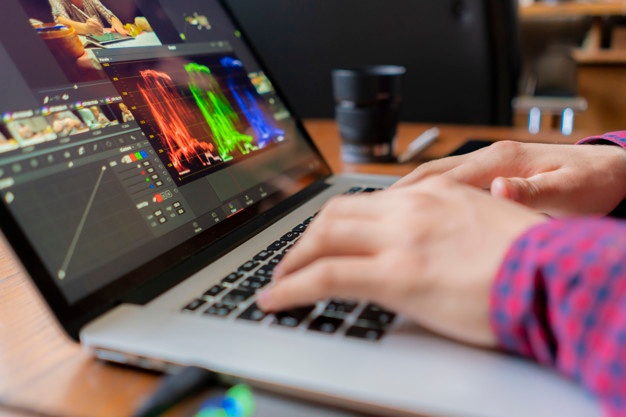
Many things can go wrong with your raw photos. You may notice that the background is too dark, the colors are not correct, or there are spots that you wish to remove. To enhance your photos before uploading them to social media or using them for commercial purposes, it’s best to edit them beforehand. Now, you can do so by using free photo editing software that is readily available. Let’s see the top recommendations of free photo editing software that you can try out.
Best Free Photo Editing Tools
1. Canva
One of the best things about Canva is that it’s a free online photo editor that doesn’t require you to download any application on your computer. You can easily download the mobile app to access free photo editing software on the go. With Canva, you can transform a simple photo or image into social media posts, banners, posters, invitations, and much more. Thanks to the plethora of templates available to use, you can make your images more attractive.
2. GIMP
GIMP is an open-source, free photo editing software with plenty of advanced features. What’s even better is the support from the large community that always updates and adds more features to GIMP, making it the best free alternative to Adobe Photoshop. It’s completely free, and the tools are very similar to the ones in Photoshop. You can install GIMP on your desktop.
3. Photoscape
Photoscape is another free photo editing software that you can use. Don’t underestimate what Photoscape can do with its many features. You can animate GIFs, merge photos, do a raw conversion, and even print sheet music paper. You’ll also get basic Photoshop tools in this app. Although it’s not yet on par with Photoshop, it is highly recommended for beginners who want to try their hand at photo editing software.
4. Ashampoo Photo Optimizer
If you have a Windows computer, then you can try Ashampoo Photo Optimizer. It’s a free photo editing software with minimal ads and a clutter-free interface. The cool thing about this photo editing tool is that you can easily edit more than one photo with a simple click.
The software optimization tool will instantly make adjustments to your photos, making them look more attractive. If you’d like to make adjustments, you can do so using the filters and features available in Ashampoo Photo Optimizer.
5. Pixlr
For beginners who want to adjust the saturation and colors of their photos or want to blur areas of the images, you can try using Pixlr X. Just like Canva, Pixlr X is an online photo editor. However, Pixlr X has more photo editing features than Canva, making it an ideal choice for both beginners and advanced photographers. The best part of Pixlr X is that it supports layers, a feature that is rare to find in free, browser-based photo editing software.
Read also: Simple Steps for Removing Wrinkles
6. Fotor
Similar to Canva and Pixlr X, Fotor is another free photo editing software that doesn’t require installation. You can open your internet browser and edit your photos online. Fotor offers several basic photo editing features (e.g., saturation, brightness, colors) as well as other more advanced features like teeth whitening and blemish remover. One premium feature from Fotor is its ability to filter several photos at once. It will come in handy when you need to process your photos immediately, such as when enhancing shaky or blurry ones.
7. BeFunky
As its name suggests, BeFunky offers free online photo editing features that can transform your photos. You can play around with your photo’s exposure, textures, overlays, contrast, and many more. You can also try out BeFunky effects and filters. Similar to Fotor, BeFunky allows you to edit photos, make collages, and do graphic designs. However, beware that most of the features are only available for premium users.
8. Dropicts
Want your photos to be professionally edited and retouched without ever installing any photo editing software? Well, Dropicts is the best option for those who are seeking product image editing services and professional photo retouching services. Although it’s not a free photo editing software, Dropicts is a cost-effective solution to ensure the high quality of your photography results.

Image Source:
fajarpendidikan.co.id
